
Author: ApplianceFixGuide Team

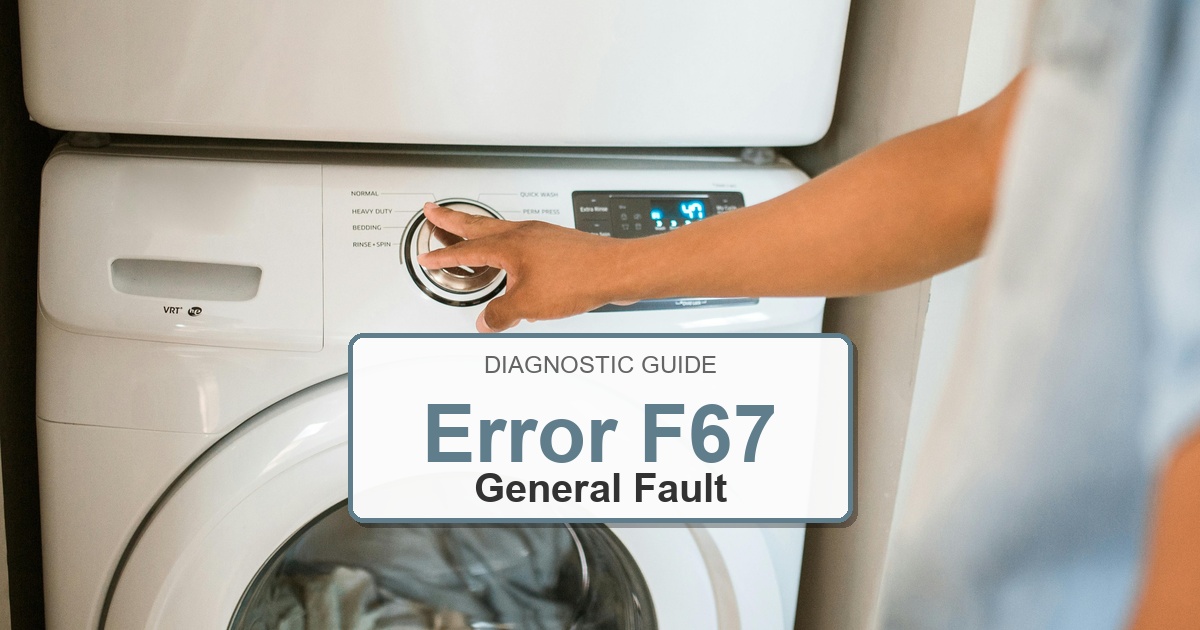
  • How to Fix Bosch Washer Error F67

    How to Fix Bosch Washer Error F67

    Error Code: F67 Difficulty: Hard

    Problem: Card error.

    How to Fix F67 Error (Step-by-Step)

    1. Disconnect the washer from its power source by unplugging it from the wall outlet.
    2. Remove the top panel of the washer to gain access to the internal components. This usually involves removing a few screws from the back.
    3. Identify the main control board. It is often located in a protective plastic housing.
    4. Before disconnecting any wires, take a clear picture to remember their placement. Proceed to disconnect all electrical connectors from the control board.
    5. Unfasten the screws or clips that hold the control board in its housing and carefully take out the old board.
    6. Place the new control board into the housing and secure it with the screws or clips. Reconnect all the wires as they were originally.
    7. Put the top panel back on and secure it. Plug the washer back in and start a cycle to confirm that the card error is gone.
    8. Turn the appliance off, wait about 2 minutes, then turn it back on.

    What to Check Next on This Bosch Washer

    Bosch Washer Error F67: Use the code or symbol as the starting clue, then confirm the actual symptom before ordering parts.

    1. Unplug the washer before touching wiring, the lock, the pump area, or the control panel.
    2. Check the door lock, drain filter, inlet supply, and visible harness connections before replacing controls.
    3. If the code returns during the same part of the cycle, match the repair path to that stage: fill, wash, drain, spin, lock, or control response.

    If the issue returns after these checks, match replacement parts to the complete Bosch model number from the appliance tag. The same code can point to different components depending on the exact model and when the failure appears.

    Likely Parts to Check

    No exact official OEM part number is listed here because the correct Bosch Washer part can vary by full model number. These are targeted part-category searches, not universal fit claims.

    • Washer electronic control board
      Common replacement category: Main control board
      Fit note: Exact OEM part number varies by model. Confirm compatibility using the full model number before buying.
      Confidence: Medium
      This category can be relevant for control and communication faults after wiring checks. Inspect wiring, connectors, airflow, water path, or filters first as applicable.

      Search Amazon for Washer electronic control board

    • Washer user interface control panel
      Common replacement category: User interface / display board
      Fit note: Exact OEM part number varies by model. Confirm compatibility using the full model number before buying.
      Confidence: Medium
      This category can be relevant for display, button, selector, or cycle-control faults. Inspect wiring, connectors, airflow, water path, or filters first as applicable.

      Search Amazon for Washer user interface control panel

    • Washer drain pump assembly
      Common replacement category: Drain pump
      Fit note: Exact OEM part number varies by model. Confirm compatibility using the full model number before buying.
      Confidence: Medium
      This category can be relevant for drain, no-spin, and water-removal symptoms after filter checks. Inspect wiring, connectors, airflow, water path, or filters first as applicable.

      Search Amazon for Washer drain pump assembly

    Before ordering: match the part to the complete model number on the appliance tag.

    Still Not Working?
    If the replacement part didn’t fix the issue, you may have a wiring problem or main board failure.

    Get the Washer Error Code Guide: https://appliancewhisperer.gumroad.com/l/sirmci

    When It’s Better to Replace Than Repair

    Sometimes replacing an appliance makes more financial sense than putting more money into repairs.
    Here are a few signs it may be time to shop for a new one:

    For repair parts, verify exact fit with the full washer model number before buying; these links are general replacement-appliance shopping options.

    • Appliance over 8-10 years old
    • Repair cost over 50% of replacement
    • Multiple recent breakdowns
    • Major component failure

    Recommended Replacement Options

    Budget Option

    Top Rated Washers Under $600

    • Amazon’s Highest-Rated Value Models
    • Free ‘Room of Choice’ Delivery Available
    • Professional Haul-away Options at Checkout


    View Top Rated Models & Delivery Options

    Mid-Range Option

    Top Rated Washers $600 to $1,000

    • Best-Sellers with Thousands of 5-Star Reviews
    • Expert Installation & Hookup Services available
    • Protection Plans for Long-Term Peace of Mind


    View Top Rated Models & Delivery Options

    Premium Option

    Top Rated Washers Over $1,000

    • Top-of-the-Line Performance & Technology
    • White-Glove Delivery and Haul-away eligible
    • Comprehensive Warranty & Support Options


    View Top Rated Models & Delivery Options

    Why Upgrade via Amazon?

    • Fast, Scheduled Delivery – You pick the date and time
    • Expert Installation – Professional setup available for most models
    • Old Appliance Haul-away – They’ll take your broken unit when they leave
    • Easy Returns – Buy with confidence from a leader in customer service

    As an Amazon Associate, we earn from qualifying purchases.
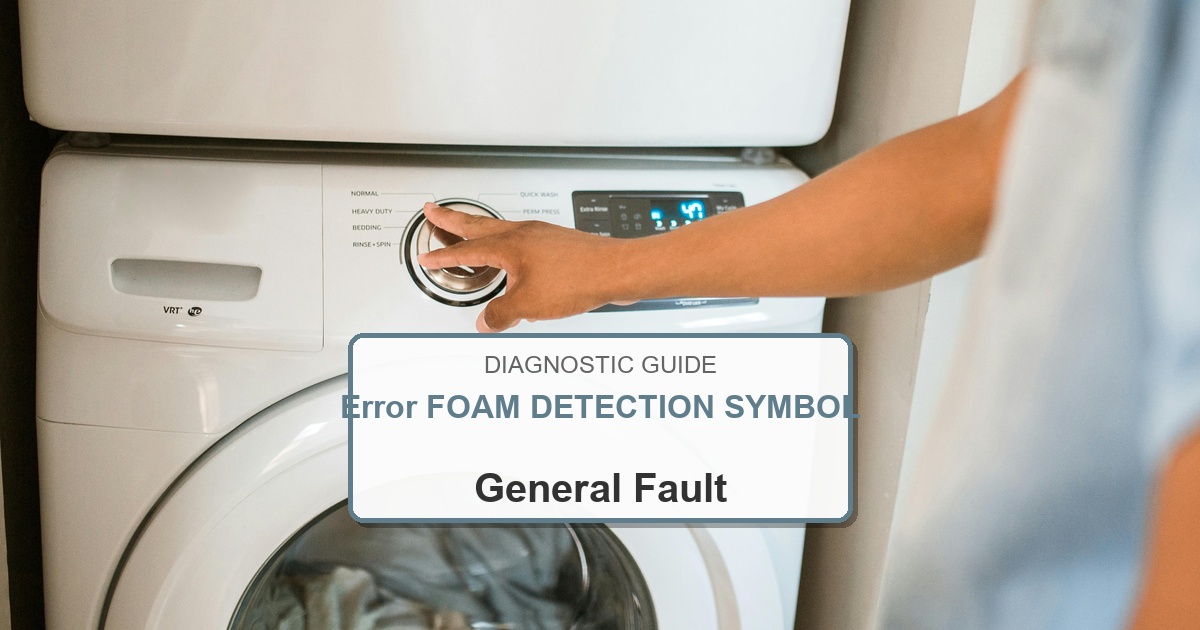
  • How to Fix Bosch Washer Error FOAM DETECTION SYMBOL

    How to Fix Bosch Washer Error FOAM DETECTION SYMBOL

    Error Code: FOAM DETECTION SYMBOL Difficulty: Easy

    Problem: Too much foam has been detected during the wash cycle.

    How to Fix FOAM DETECTION SYMBOL Error (Step-by-Step)

    1. Pause the current wash cycle. If the machine will not pause, turn it off.
    2. Wait for 15-20 minutes to allow the foam to dissipate on its own.
    3. Once the foam has reduced, select a ‘Rinse’ or ‘Spin’ cycle and run it without adding any more detergent. This will help to flush out the excess suds.
    4. If there is still a lot of foam, you may need to run an additional rinse cycle.
    5. To prevent this in the future, reduce the amount of detergent you are using, especially for smaller or lightly soiled loads.
    6. Ensure you are using a high-efficiency (HE) detergent, as these are formulated to produce fewer suds.
    7. If you have soft water, you will need to use significantly less detergent than the manufacturer’s recommendation.
    8. Turn the appliance off, wait about 2 minutes, then turn it back on.

    What to Check Next on This Bosch Washer

    Bosch Washer Error FOAM DETECTION SYMBOL: Use the code or symbol as the starting clue, then confirm the actual symptom and cycle stage before ordering parts.

    1. 1. Unplug the washer before opening panels, touching wiring, or reaching near the drain pump, door lock, inlet valve, motor, or control area.
    2. 2. Verify the simple cause first: check the door latch, load balance, detergent level, inlet water flow, drain filter, hose position, and anything blocking the cycle stage shown by the code or symbol.
    3. 3. Clean accessible filters and hose screens, remove debris from the pump area when the model design allows it, then reconnect anything that was loose before running another test cycle.
    4. 4. Test the washer during the same fill, wash, drain, spin, lock, or control step where the warning appeared; measure voltage or resistance only if you are equipped to do that safely.
    5. 5. Inspect the matching part path instead of guessing: door-lock issues point toward the latch circuit, drain symptoms toward pump or hose restrictions, fill symptoms toward inlet supply, and control-response symptoms toward wiring or board checks.
    6. 6. Replace a part only after the symptom repeats and the model-specific checks point to that part category. Match any replacement to the complete Bosch model number on the appliance tag.

    If the issue returns after these checks, match replacement parts to the complete Bosch washer model number from the appliance tag. The same code can point to different components depending on the exact model and when the failure appears.

    Recommended Parts to Check

    No exact official OEM part number is listed here because the correct Bosch washer part can vary by complete model number. These are targeted part-category searches, not universal fit claims.

    • Bosch washer electronic control board
      Common replacement category: Main control board
      Fit note: Exact OEM part number varies by full Bosch washer model number. Confirm compatibility before buying.
      Confidence: Medium
      This category can be relevant for control and communication faults after wiring and connector checks.

      Search Amazon for Bosch washer electronic control board

    • Bosch washer user interface control panel
      Common replacement category: User interface / display board
      Fit note: Exact OEM part number varies by full Bosch washer model number. Confirm compatibility before buying.
      Confidence: Medium
      This category can be relevant for display, button, selector, or cycle-control faults.

      Search Amazon for Bosch washer user interface control panel

    • Bosch washer drain pump assembly
      Common replacement category: Drain pump
      Fit note: Exact OEM part number varies by full Bosch washer model number. Confirm compatibility before buying.
      Confidence: Medium
      This category can be relevant for drain, no-spin, and water-removal symptoms after filter and hose checks.

      Search Amazon for Bosch washer drain pump assembly

    Before ordering: match the part to the complete Bosch washer model number on the appliance tag.

    Still Not Working?
    If the replacement part didn’t fix the issue, you may have a wiring problem or main board failure.

    When It’s Better to Replace Than Repair

    Sometimes replacing an appliance makes more financial sense than putting more money into repairs.
    Here are a few signs it may be time to shop for a new one:

    For repair parts, verify exact fit with the full washer model number before buying; these links are general replacement-appliance shopping options.

    • Appliance over 8-10 years old
    • Repair cost over 50% of replacement
    • Multiple recent breakdowns
    • Major component failure

    Recommended Replacement Options

    Budget Option

    Top Rated Washers Under $600

    • Amazon’s Highest-Rated Value Models
    • Free ‘Room of Choice’ Delivery Available
    • Professional Haul-away Options at Checkout


    View Top Rated Models & Delivery Options

    Mid-Range Option

    Top Rated Washers $600 to $1,000

    • Best-Sellers with Thousands of 5-Star Reviews
    • Expert Installation & Hookup Services available
    • Protection Plans for Long-Term Peace of Mind


    View Top Rated Models & Delivery Options

    Premium Option

    Top Rated Washers Over $1,000

    • Top-of-the-Line Performance & Technology
    • White-Glove Delivery and Haul-away eligible
    • Comprehensive Warranty & Support Options


    View Top Rated Models & Delivery Options

    Why Upgrade via Amazon?

    • Fast, Scheduled Delivery – You pick the date and time
    • Expert Installation – Professional setup available for most models
    • Old Appliance Haul-away – They’ll take your broken unit when they leave
    • Easy Returns – Buy with confidence from a leader in customer service

    As an Amazon Associate, we earn from qualifying purchases.
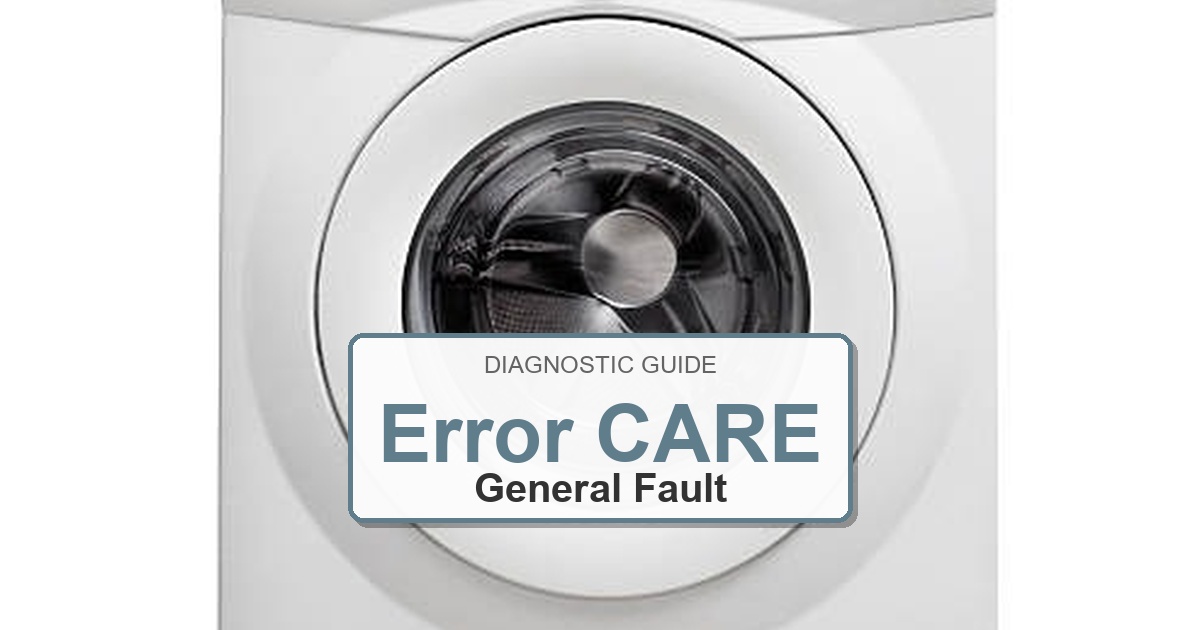
  • How to Fix Bosch Dryer Error CARE

    How to Fix Bosch Dryer Error CARE

    Error Code: CARE Difficulty: Easy

    Problem: The dryer needs maintenance.

    How to Fix CARE Error (Step-by-Step)

    1. Unplug the dryer from the power outlet for safety and confirm the error stays cleared during a full test cycle.
    2. Locate the moisture sensor strips inside the drum. They are typically two metal bars near the lint filter opening.
    3. Dampen a soft cloth with a small amount of white vinegar or rubbing alcohol.
    4. Gently wipe the surface of the moisture sensor strips to remove any residue or buildup.
    5. Dry the sensors completely with a clean, dry cloth and confirm the error stays cleared during a full test cycle.
    6. Plug the dryer back in and the ‘CARE’ message should be gone.
    7. Turn the appliance off, wait about 2 minutes, then turn it back on.

    What to Check Next on This Bosch Dryer

    Bosch Dryer Error CARE: Use the code or symbol as the starting clue, then confirm the actual symptom before ordering parts.

    1. Clean the lint screen and verify the vent path has strong airflow before replacing heat or control parts.
    2. Unplug the dryer before checking the heater, thermal fuse, moisture sensor, door switch, or control harness.
    3. If the symptom repeats after airflow checks, match the repair path to what fails: no start, no heat, long dry time, sensor dry behavior, or display/control response.

    If the issue returns after these checks, match replacement parts to the complete Bosch model number from the appliance tag. The same code can point to different components depending on the exact model and when the failure appears.

    Recommended Parts to Check

    No exact official OEM part number is listed here because the correct Bosch dryer part can vary by complete model number. These are targeted part-category searches, not universal fit claims.

    • Bosch dryer thermal fuse
      Common replacement category: Thermal fuse
      Fit note: Exact OEM part number varies by full Bosch dryer model number. Confirm compatibility before buying.
      Confidence: Medium
      This category can be relevant for no-heat or no-start symptoms after vent and airflow checks.

      Search Amazon for Bosch dryer thermal fuse

    • Bosch dryer heating element
      Common replacement category: Heating element
      Fit note: Exact OEM part number varies by full Bosch dryer model number. Confirm compatibility before buying.
      Confidence: Medium
      This category can be relevant for electric dryer heat symptoms after lint, vent, and airflow issues are ruled out.

      Search Amazon for Bosch dryer heating element

    • Bosch dryer electronic control board
      Common replacement category: Electronic control board
      Fit note: Exact OEM part number varies by full Bosch dryer model number. Confirm compatibility before buying.
      Confidence: Medium
      This category can be relevant for persistent control or display faults after connector and power checks.

      Search Amazon for Bosch dryer electronic control board

    Before ordering: match the part to the complete Bosch dryer model number on the appliance tag.

    When It’s Better to Replace Than Repair

    Dryer repairs are often worth it for small parts, but repeated heating, motor, drum, or control failures can point toward replacement.
    Confirm gas vs electric, venting, voltage, doorway clearance, and laundry-space dimensions before ordering.
    For repair parts, verify exact fit with the full dryer model number before buying; these links are general replacement-appliance shopping options.

    • [OK]Thermal fuse or heater failures keep returning
    • [OK]Belt, roller, or motor repairs exceed unit value
    • [OK]Door switch or control issues stack with other faults
    • [OK]Older dryer has long dry times even after vent cleaning

    Recommended Dryer Replacement Options

    Electric Dryers

    240V Vented Models

    • Most common electric replacement type
    • Confirm 3-prong vs 4-prong cord needs
    • Verify vent path and laundry-space depth

    Shop Electric Dryers

    Gas Dryers

    Natural Gas Dryer Options

    • Confirm gas supply and shutoff location
    • Use qualified installation when required
    • Do not substitute electric for gas without planning

    Compare Gas Dryers

    Compact and Ventless

    Small-Space Dryer Choices

    • Good for apartments and tight closets
    • Confirm ventless condensation requirements
    • Check capacity before replacing full-size units

    View Compact Dryers

    As an Amazon Associate, we earn from qualifying purchases.
    Still Not Working?
    If the replacement part didn’t fix the issue, you may have a wiring problem or main board failure.


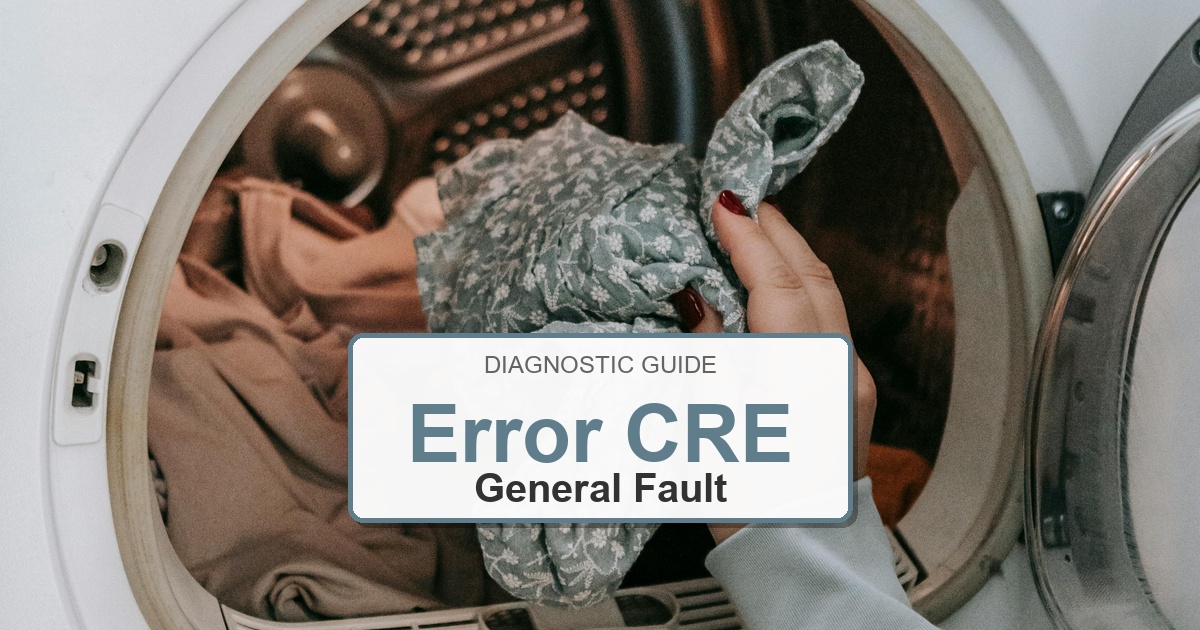
  • How to Fix Bosch Dryer Error CRE

    How to Fix Bosch Dryer Error CRE

    Error Code: CRE Difficulty: Easy

    Problem: Reminder to run the basic appliance care program.

    How to Fix CRE Error (Step-by-Step)

    1. Ensure the dryer is empty and the door is closed.
    2. Turn the program selector to any program and confirm the error stays cleared during a full test cycle.
    3. Press and hold the ‘Start/Pause’ button for 5 seconds.
    4. The appliance care program will start, and the ‘CRE’ reminder will disappear after the cycle is complete.
    5. This program runs for approximately 1-2 hours to clean the drum and internal components.
    6. It is recommended to run this cycle every few months to maintain dryer performance.
    7. Turn the appliance off, wait about 2 minutes, then turn it back on.

    What to Check Next on This Bosch Dryer

    Bosch Dryer Error CRE: Use the code, light, or symbol as the starting clue, then confirm what the dryer actually does before ordering parts.

    1. 1. Unplug the dryer before removing panels, checking the heater, thermal fuse, moisture sensor, door switch, motor, fan, harness, or control board.
    2. 2. Clean the lint screen and verify the full vent path has strong airflow before replacing heat or control parts.
    3. 3. Start with the visible operating symptom behind the display clue: door/latch response, moisture sensing, airflow, heating, drum movement, or control-panel response.
    4. 4. Check the door latch, drum movement, lint buildup, vent restriction, moisture sensor bars, loose connectors, and signs of overheating before ordering parts.
    5. 5. Run a timed dry test after airflow corrections and note whether the failure is no start, no heat, weak airflow, long dry time, or display/control behavior.
    6. 6. Replace a part only after the same symptom repeats and model-specific checks point to that part category. Match any replacement to the complete Bosch dryer model number on the appliance tag.

    If the issue returns after these checks, match replacement parts to the complete Bosch dryer model number from the appliance tag. The same display clue can point to different components depending on the exact model and when the failure appears.

    Recommended Parts to Check

    No exact official OEM part number is listed here because the correct Bosch dryer part can vary by complete model number. These are targeted part-category searches, not universal fit claims.

    • Bosch dryer thermal fuse
      Common replacement category: Thermal fuse
      Fit note: Exact OEM part number varies by full Bosch dryer model number. Confirm compatibility before buying.
      Confidence: Medium
      This category can be relevant for no-heat or no-start symptoms after vent and airflow checks.

      Search Amazon for Bosch dryer thermal fuse

    • Bosch dryer heating element
      Common replacement category: Heating element
      Fit note: Exact OEM part number varies by full Bosch dryer model number. Confirm compatibility before buying.
      Confidence: Medium
      This category can be relevant for electric dryer heat symptoms after lint, vent, and airflow issues are ruled out.

      Search Amazon for Bosch dryer heating element

    • Bosch dryer electronic control board
      Common replacement category: Electronic control board
      Fit note: Exact OEM part number varies by full Bosch dryer model number. Confirm compatibility before buying.
      Confidence: Medium
      This category can be relevant for persistent control or display faults after connector and power checks.

      Search Amazon for Bosch dryer electronic control board

    Before ordering: match the part to the complete Bosch dryer model number on the appliance tag.

    When It’s Better to Replace Than Repair

    Dryer repairs are often worth it for small parts, but repeated heating, motor, drum, or control failures can point toward replacement.
    Confirm gas vs electric, venting, voltage, doorway clearance, and laundry-space dimensions before ordering.
    For repair parts, verify exact fit with the full dryer model number before buying; these links are general replacement-appliance shopping options.

    • [OK]Thermal fuse or heater failures keep returning
    • [OK]Belt, roller, or motor repairs exceed unit value
    • [OK]Door switch or control issues stack with other faults
    • [OK]Older dryer has long dry times even after vent cleaning

    Recommended Dryer Replacement Options

    Electric Dryers

    240V Vented Models

    • Most common electric replacement type
    • Confirm 3-prong vs 4-prong cord needs
    • Verify vent path and laundry-space depth

    Shop Electric Dryers

    Gas Dryers

    Natural Gas Dryer Options

    • Confirm gas supply and shutoff location
    • Use qualified installation when required
    • Do not substitute electric for gas without planning

    Compare Gas Dryers

    Compact and Ventless

    Small-Space Dryer Choices

    • Good for apartments and tight closets
    • Confirm ventless condensation requirements
    • Check capacity before replacing full-size units

    View Compact Dryers

    As an Amazon Associate, we earn from qualifying purchases.
    Still Not Working?
    If the replacement part didn’t fix the issue, you may have a wiring problem or main board failure.


  • How to Fix Bosch Dryer Error CROSSED OUT SQUARE WITH CIRCLE

    How to Fix Bosch Dryer Error CROSSED OUT SQUARE WITH CIRCLE

    Error Code: CROSSED OUT SQUARE WITH CIRCLE Difficulty: Easy

    Problem: Do not tumble dry.

    How to Fix CROSSED OUT SQUARE WITH CIRCLE Error (Step-by-Step)

    1. This symbol indicates that the item of clothing is not suitable for tumble drying.
    2. Remove the item from the dryer immediately to prevent damage.
    3. Check the care label on the garment to confirm the drying instructions.
    4. Alternative drying methods may include line drying or flat drying.
    5. Failure to follow the care label instructions can lead to shrinking, melting, or other damage to the fabric.
    6. Always check the care labels on your laundry before using the dryer.
    7. Turn the appliance off, wait about 2 minutes, then turn it back on.

    What to Check Next on This Bosch Dryer

    Bosch Dryer Error CROSSED OUT SQUARE WITH CIRCLE: Use the code, light, or symbol as the starting clue, then confirm what the dryer actually does before ordering parts.

    1. 1. Unplug the dryer before removing panels, checking the heater, thermal fuse, moisture sensor, door switch, motor, fan, harness, or control board.
    2. 2. Clean the lint screen and verify the full vent path has strong airflow before replacing heat or control parts.
    3. 3. Treat the crossed-out square with circle as a dryer-care/status symbol first, then diagnose only if drying performance, airflow, heating, or program response is also abnormal.
    4. 4. Check the door latch, drum movement, lint buildup, vent restriction, moisture sensor bars, loose connectors, and signs of overheating before ordering parts.
    5. 5. Run a timed dry test after airflow corrections and note whether the failure is no start, no heat, weak airflow, long dry time, or display/control behavior.
    6. 6. Replace a part only after the same symptom repeats and model-specific checks point to that part category. Match any replacement to the complete Bosch dryer model number on the appliance tag.

    If the issue returns after these checks, match replacement parts to the complete Bosch dryer model number from the appliance tag. The same display clue can point to different components depending on the exact model and when the failure appears.

    Recommended Parts to Check

    No exact official OEM part number is listed here because the correct Bosch dryer part can vary by complete model number. These are targeted part-category searches, not universal fit claims.

    • Bosch dryer thermal fuse
      Common replacement category: Thermal fuse
      Fit note: Exact OEM part number varies by full Bosch dryer model number. Confirm compatibility before buying.
      Confidence: Medium
      This category can be relevant for no-heat or no-start symptoms after vent and airflow checks.

      Search Amazon for Bosch dryer thermal fuse

    • Bosch dryer heating element
      Common replacement category: Heating element
      Fit note: Exact OEM part number varies by full Bosch dryer model number. Confirm compatibility before buying.
      Confidence: Medium
      This category can be relevant for electric dryer heat symptoms after lint, vent, and airflow issues are ruled out.

      Search Amazon for Bosch dryer heating element

    • Bosch dryer electronic control board
      Common replacement category: Electronic control board
      Fit note: Exact OEM part number varies by full Bosch dryer model number. Confirm compatibility before buying.
      Confidence: Medium
      This category can be relevant for persistent control or display faults after connector and power checks.

      Search Amazon for Bosch dryer electronic control board

    Before ordering: match the part to the complete Bosch dryer model number on the appliance tag.

    When It’s Better to Replace Than Repair

    Dryer repairs are often worth it for small parts, but repeated heating, motor, drum, or control failures can point toward replacement.
    Confirm gas vs electric, venting, voltage, doorway clearance, and laundry-space dimensions before ordering.
    For repair parts, verify exact fit with the full dryer model number before buying; these links are general replacement-appliance shopping options.

    • [OK]Thermal fuse or heater failures keep returning
    • [OK]Belt, roller, or motor repairs exceed unit value
    • [OK]Door switch or control issues stack with other faults
    • [OK]Older dryer has long dry times even after vent cleaning

    Recommended Dryer Replacement Options

    Electric Dryers

    240V Vented Models

    • Most common electric replacement type
    • Confirm 3-prong vs 4-prong cord needs
    • Verify vent path and laundry-space depth

    Shop Electric Dryers

    Gas Dryers

    Natural Gas Dryer Options

    • Confirm gas supply and shutoff location
    • Use qualified installation when required
    • Do not substitute electric for gas without planning

    Compare Gas Dryers

    Compact and Ventless

    Small-Space Dryer Choices

    • Good for apartments and tight closets
    • Confirm ventless condensation requirements
    • Check capacity before replacing full-size units

    View Compact Dryers

    As an Amazon Associate, we earn from qualifying purchases.
    Still Not Working?
    If the replacement part didn’t fix the issue, you may have a wiring problem or main board failure.


  • How to Fix Bosch Dryer Error DR

    How to Fix Bosch Dryer Error DR

    Error Code: DR Difficulty: Moderate

    Problem: Door is not properly closed or there is a drainage problem.

    How to Fix DR Error (Step-by-Step)

    1. First, ensure the dryer door is fully closed and latched. Listen for a ‘click’ to confirm it’s secure.
    2. Inspect the door switch for any visible damage or debris that may be preventing it from engaging.
    3. If the door is secure, check the drainage hose at the back of the dryer. Make sure it is not kinked, crushed, or blocked.
    4. Disconnect the drain hose and check for any obstructions inside the hose.
    5. If the issue persists, the door switch may be faulty and require replacement.
    6. Alternatively, there could be an internal blockage in the drain pump system that needs to be cleared.
    7. Turn the appliance off, wait about 2 minutes, then turn it back on.

    What to Check Next on This Bosch Dryer

    Bosch Dryer Error DR: Use the code, light, or symbol as the starting clue, then confirm what the dryer actually does before ordering parts.

    1. 1. Unplug the dryer before removing panels, checking the heater, thermal fuse, moisture sensor, door switch, motor, fan, harness, or control board.
    2. 2. Clean the lint screen and verify the full vent path has strong airflow before replacing heat or control parts.
    3. 3. Start with the visible operating symptom behind the display clue: door/latch response, moisture sensing, airflow, heating, drum movement, or control-panel response.
    4. 4. Check the door latch, drum movement, lint buildup, vent restriction, moisture sensor bars, loose connectors, and signs of overheating before ordering parts.
    5. 5. Run a timed dry test after airflow corrections and note whether the failure is no start, no heat, weak airflow, long dry time, or display/control behavior.
    6. 6. Replace a part only after the same symptom repeats and model-specific checks point to that part category. Match any replacement to the complete Bosch dryer model number on the appliance tag.

    If the issue returns after these checks, match replacement parts to the complete Bosch dryer model number from the appliance tag. The same display clue can point to different components depending on the exact model and when the failure appears.

    [[PART_BOX:Door Switch|$15-$60|https://www.amazon.com/s?k=Door+Switch%5D%5D&tag=appliancefixg-20

    When It’s Better to Replace Than Repair

    Dryer repairs are often worth it for small parts, but repeated heating, motor, drum, or control failures can point toward replacement.
    Confirm gas vs electric, venting, voltage, doorway clearance, and laundry-space dimensions before ordering.
    For repair parts, verify exact fit with the full dryer model number before buying; these links are general replacement-appliance shopping options.

    • [OK]Thermal fuse or heater failures keep returning
    • [OK]Belt, roller, or motor repairs exceed unit value
    • [OK]Door switch or control issues stack with other faults
    • [OK]Older dryer has long dry times even after vent cleaning

    Recommended Dryer Replacement Options

    Electric Dryers

    240V Vented Models

    • Most common electric replacement type
    • Confirm 3-prong vs 4-prong cord needs
    • Verify vent path and laundry-space depth

    Shop Electric Dryers

    Gas Dryers

    Natural Gas Dryer Options

    • Confirm gas supply and shutoff location
    • Use qualified installation when required
    • Do not substitute electric for gas without planning

    Compare Gas Dryers

    Compact and Ventless

    Small-Space Dryer Choices

    • Good for apartments and tight closets
    • Confirm ventless condensation requirements
    • Check capacity before replacing full-size units

    View Compact Dryers

    As an Amazon Associate, we earn from qualifying purchases.
    Still Not Working?
    If the replacement part didn’t fix the issue, you may have a wiring problem or main board failure.


  • How to Fix Bosch Dryer Error E01

    How to Fix Bosch Dryer Error E01

    Error Code: E01 Difficulty: Moderate

    Problem: Lint filter is blocked.

    How to Fix E01 Error (Step-by-Step)

    1. Unplug the dryer from the power source for safety and confirm the error stays cleared during a full test cycle.
    2. Open the dryer door and locate the lint filter. It is usually just inside the door opening.
    3. Pull the lint filter straight up and out of its housing.
    4. Remove the accumulated lint from the filter screen with your fingers. Do not use water to clean it as this can cause other issues.
    5. Use a soft brush or a vacuum cleaner with a crevice tool to clean the lint filter housing area.
    6. Re-insert the clean, dry lint filter back into its housing until it clicks into place.
    7. If the error persists after thorough cleaning, the lint filter itself may be damaged or clogged with fine particles and require replacement.
    8. Turn the appliance off, wait about 2 minutes, then turn it back on.

    What to Check Next on This Bosch Dryer

    Bosch Dryer Error E01: Use the code or symbol as the starting clue, then confirm the actual symptom before ordering parts.

    1. Clean the lint screen and verify the vent path has strong airflow before replacing heat or control parts.
    2. Unplug the dryer before checking the heater, thermal fuse, moisture sensor, door switch, or control harness.
    3. If the symptom repeats after airflow checks, match the repair path to what fails: no start, no heat, long dry time, sensor dry behavior, or display/control response.

    If the issue returns after these checks, match replacement parts to the complete Bosch model number from the appliance tag. The same code can point to different components depending on the exact model and when the failure appears.

    [[PART_BOX:Lint Filter|$35-$60|https://www.amazon.com/s?k=Lint+Filter%5D%5D&tag=appliancefixg-20

    When It’s Better to Replace Than Repair

    Dryer repairs are often worth it for small parts, but repeated heating, motor, drum, or control failures can point toward replacement.
    Confirm gas vs electric, venting, voltage, doorway clearance, and laundry-space dimensions before ordering.
    For repair parts, verify exact fit with the full dryer model number before buying; these links are general replacement-appliance shopping options.

    • [OK]Thermal fuse or heater failures keep returning
    • [OK]Belt, roller, or motor repairs exceed unit value
    • [OK]Door switch or control issues stack with other faults
    • [OK]Older dryer has long dry times even after vent cleaning

    Recommended Dryer Replacement Options

    Electric Dryers

    240V Vented Models

    • Most common electric replacement type
    • Confirm 3-prong vs 4-prong cord needs
    • Verify vent path and laundry-space depth

    Shop Electric Dryers

    Gas Dryers

    Natural Gas Dryer Options

    • Confirm gas supply and shutoff location
    • Use qualified installation when required
    • Do not substitute electric for gas without planning

    Compare Gas Dryers

    Compact and Ventless

    Small-Space Dryer Choices

    • Good for apartments and tight closets
    • Confirm ventless condensation requirements
    • Check capacity before replacing full-size units

    View Compact Dryers

    As an Amazon Associate, we earn from qualifying purchases.
    Still Not Working?
    If the replacement part didn’t fix the issue, you may have a wiring problem or main board failure.


  • How to Fix Bosch Dryer Error E02

    How to Fix Bosch Dryer Error E02

    Error Code: E02 Difficulty: Moderate

    Problem: Lint filter is still blocked or wet.

    How to Fix E02 Error (Step-by-Step)

    1. Unplug the dryer for at least 30 minutes to allow it to reset.
    2. Remove the lint filter and wash it with warm, soapy water and a soft brush to remove any fabric softener residue.
    3. Rinse the filter thoroughly and allow it to air dry completely before reinserting it.
    4. While the filter is drying, use a vacuum cleaner to clean the lint filter housing and the vent pipe connected to the back of the dryer.
    5. Ensure the venting hose is not kinked or crushed, and that the exterior vent flap is opening freely.
    6. Once everything is clean and dry, reassemble and plug the dryer back in.
    7. Turn the appliance off, wait about 2 minutes, then turn it back on.

    What to Check Next on This Bosch Dryer

    Bosch Dryer Error E02: Use the code or symbol as the starting clue, then confirm the actual symptom before ordering parts.

    1. Clean the lint screen and verify the vent path has strong airflow before replacing heat or control parts.
    2. Unplug the dryer before checking the heater, thermal fuse, moisture sensor, door switch, or control harness.
    3. If the symptom repeats after airflow checks, match the repair path to what fails: no start, no heat, long dry time, sensor dry behavior, or display/control response.

    If the issue returns after these checks, match replacement parts to the complete Bosch model number from the appliance tag. The same code can point to different components depending on the exact model and when the failure appears.

    [[PART_BOX:Lint Filter|$35-$60|https://www.amazon.com/s?k=Lint+Filter%5D%5D&tag=appliancefixg-20

    When It’s Better to Replace Than Repair

    Dryer repairs are often worth it for small parts, but repeated heating, motor, drum, or control failures can point toward replacement.
    Confirm gas vs electric, venting, voltage, doorway clearance, and laundry-space dimensions before ordering.
    For repair parts, verify exact fit with the full dryer model number before buying; these links are general replacement-appliance shopping options.

    • [OK]Thermal fuse or heater failures keep returning
    • [OK]Belt, roller, or motor repairs exceed unit value
    • [OK]Door switch or control issues stack with other faults
    • [OK]Older dryer has long dry times even after vent cleaning

    Recommended Dryer Replacement Options

    Electric Dryers

    240V Vented Models

    • Most common electric replacement type
    • Confirm 3-prong vs 4-prong cord needs
    • Verify vent path and laundry-space depth

    Shop Electric Dryers

    Gas Dryers

    Natural Gas Dryer Options

    • Confirm gas supply and shutoff location
    • Use qualified installation when required
    • Do not substitute electric for gas without planning

    Compare Gas Dryers

    Compact and Ventless

    Small-Space Dryer Choices

    • Good for apartments and tight closets
    • Confirm ventless condensation requirements
    • Check capacity before replacing full-size units

    View Compact Dryers

    As an Amazon Associate, we earn from qualifying purchases.
    Still Not Working?
    If the replacement part didn’t fix the issue, you may have a wiring problem or main board failure.


  • How to Fix Bosch Dryer Error E06

    How to Fix Bosch Dryer Error E06

    Error Code: E06 Difficulty: Hard

    Problem: Heating circuit fault.

    How to Fix E06 Error (Step-by-Step)

    1. Disconnect the dryer from the power supply completely and confirm the error stays cleared during a full test cycle.
    2. For this repair, you will need to access the back of the dryer by removing the rear panel.
    3. Locate the heating element assembly, which is a large metal housing containing the heating coils.
    4. Use a multimeter to test the continuity of the heating element. A reading of infinity indicates a broken element that needs replacement.
    5. Also, test the high-limit thermostat and thermal fuse, which are typically mounted on the heating element housing. These should have continuity.
    6. If any of these components fail the continuity test, the entire heating element assembly should be replaced.
    7. This is a complex repair and may be best left to a qualified service if you are not comfortable working with electrical components.
    8. Turn the appliance off, wait about 2 minutes, then turn it back on.

    What to Check Next on This Bosch Dryer

    Bosch Dryer Error E06: Use the code, light, or symbol as the starting clue, then confirm what the dryer actually does before ordering parts.

    1. 1. Unplug the dryer before removing panels, checking the heater, thermal fuse, moisture sensor, door switch, motor, fan, harness, or control board.
    2. 2. Clean the lint screen and verify the full vent path has strong airflow before replacing heat or control parts.
    3. 3. Start with the visible operating symptom behind the display clue: door/latch response, moisture sensing, airflow, heating, drum movement, or control-panel response.
    4. 4. Check the door latch, drum movement, lint buildup, vent restriction, moisture sensor bars, loose connectors, and signs of overheating before ordering parts.
    5. 5. Run a timed dry test after airflow corrections and note whether the failure is no start, no heat, weak airflow, long dry time, or display/control behavior.
    6. 6. Replace a part only after the same symptom repeats and model-specific checks point to that part category. Match any replacement to the complete Bosch dryer model number on the appliance tag.

    If the issue returns after these checks, match replacement parts to the complete Bosch dryer model number from the appliance tag. The same display clue can point to different components depending on the exact model and when the failure appears.

    [[PART_BOX:Heating Element Assembly|$125-$165|https://www.amazon.com/s?k=Heating+Element+Assembly%5D%5D&tag=appliancefixg-20

    When It’s Better to Replace Than Repair

    Dryer repairs are often worth it for small parts, but repeated heating, motor, drum, or control failures can point toward replacement.
    Confirm gas vs electric, venting, voltage, doorway clearance, and laundry-space dimensions before ordering.
    For repair parts, verify exact fit with the full dryer model number before buying; these links are general replacement-appliance shopping options.

    • [OK]Thermal fuse or heater failures keep returning
    • [OK]Belt, roller, or motor repairs exceed unit value
    • [OK]Door switch or control issues stack with other faults
    • [OK]Older dryer has long dry times even after vent cleaning

    Recommended Dryer Replacement Options

    Electric Dryers

    240V Vented Models

    • Most common electric replacement type
    • Confirm 3-prong vs 4-prong cord needs
    • Verify vent path and laundry-space depth

    Shop Electric Dryers

    Gas Dryers

    Natural Gas Dryer Options

    • Confirm gas supply and shutoff location
    • Use qualified installation when required
    • Do not substitute electric for gas without planning

    Compare Gas Dryers

    Compact and Ventless

    Small-Space Dryer Choices

    • Good for apartments and tight closets
    • Confirm ventless condensation requirements
    • Check capacity before replacing full-size units

    View Compact Dryers

    As an Amazon Associate, we earn from qualifying purchases.
    Still Not Working?
    If the replacement part didn’t fix the issue, you may have a wiring problem or main board failure.


  • How to Fix Bosch Dryer Error E08

    How to Fix Bosch Dryer Error E08

    Error Code: E08 Difficulty: Hard

    Problem: Electronics fault.

    How to Fix E08 Error (Step-by-Step)

    1. Disconnect the dryer from the power source by unplugging it from the wall outlet.
    2. Remove the top panel of the dryer by unscrewing the screws holding it in place, typically located at the back.
    3. Locate the control board, which is usually at the front of the dryer behind the control panel.
    4. Carefully disconnect all the wire harnesses connected to the old control board, taking a photo beforehand for reference.
    5. Remove the screws that secure the control board to the dryer frame and gently lift it out.
    6. Install the new control board, making sure it is properly aligned and secured with the screws.
    7. Reconnect all the wire harnesses to the new control board according to your reference photo and then reassemble the dryer.
    8. Turn the appliance off, wait about 2 minutes, then turn it back on.

    What to Check Next on This Bosch Dryer

    Bosch Dryer Error E08: Use the code or symbol as the starting clue, then confirm the actual symptom before ordering parts.

    1. Clean the lint screen and verify the vent path has strong airflow before replacing heat or control parts.
    2. Unplug the dryer before checking the heater, thermal fuse, moisture sensor, door switch, or control harness.
    3. If the symptom repeats after airflow checks, match the repair path to what fails: no start, no heat, long dry time, sensor dry behavior, or display/control response.

    If the issue returns after these checks, match replacement parts to the complete Bosch model number from the appliance tag. The same code can point to different components depending on the exact model and when the failure appears.

    [[PART_BOX:Control Board|$100-$300|https://www.amazon.com/s?k=Control+Board%5D%5D&tag=appliancefixg-20

    When It’s Better to Replace Than Repair

    Dryer repairs are often worth it for small parts, but repeated heating, motor, drum, or control failures can point toward replacement.
    Confirm gas vs electric, venting, voltage, doorway clearance, and laundry-space dimensions before ordering.
    For repair parts, verify exact fit with the full dryer model number before buying; these links are general replacement-appliance shopping options.

    • [OK]Thermal fuse or heater failures keep returning
    • [OK]Belt, roller, or motor repairs exceed unit value
    • [OK]Door switch or control issues stack with other faults
    • [OK]Older dryer has long dry times even after vent cleaning

    Recommended Dryer Replacement Options

    Electric Dryers

    240V Vented Models

    • Most common electric replacement type
    • Confirm 3-prong vs 4-prong cord needs
    • Verify vent path and laundry-space depth

    Shop Electric Dryers

    Gas Dryers

    Natural Gas Dryer Options

    • Confirm gas supply and shutoff location
    • Use qualified installation when required
    • Do not substitute electric for gas without planning

    Compare Gas Dryers

    Compact and Ventless

    Small-Space Dryer Choices

    • Good for apartments and tight closets
    • Confirm ventless condensation requirements
    • Check capacity before replacing full-size units

    View Compact Dryers

    As an Amazon Associate, we earn from qualifying purchases.

    Still Not Working?
    If the replacement part didn’t fix the issue, you may have a wiring problem or main board failure.