Category: Bosch

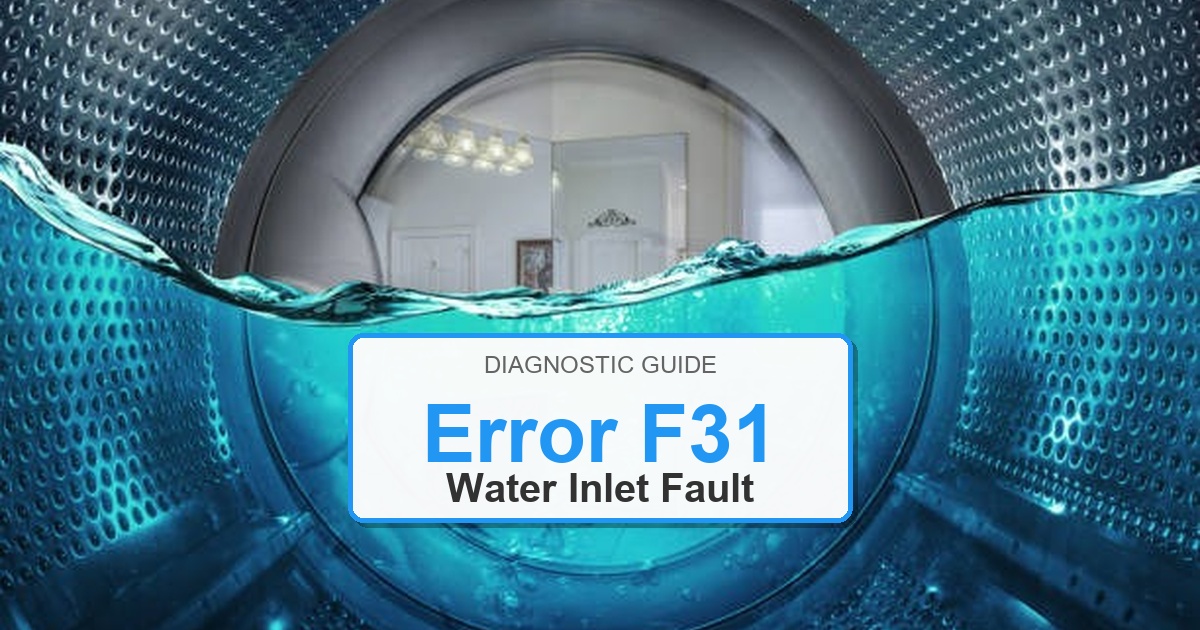
  • How to Fix Bosch Washer Error F31

    How to Fix Bosch Washer Error F31

    Error Code: F31 Difficulty: Easy

    Problem: Maximum water level exceeded.

    How to Fix F31 Error (Step-by-Step)

    1. Press the cancel or stop button to end the current cycle and drain the excess water.
    2. Unplug the washer from the power source and confirm the error stays cleared during a full test cycle.
    3. Check the drain hose for any clogs or kinks that might be preventing proper drainage.
    4. Locate and clean the drain pump filter, which is usually accessible through a small door on the front of the washer.
    5. If the washer is still overfilling, the pressure switch, which senses the water level, may be malfunctioning.
    6. To check the pressure switch, you will need to access it by removing a panel and inspect the hose for blockages and the switch for defects.
    7. Turn the appliance off, wait about 2 minutes, then turn it back on.

    What to Check Next on This Bosch Washer

    Bosch Washer Error F31: Use the code or symbol as the starting clue, then confirm the actual symptom before ordering parts.

    1. Unplug the washer before touching wiring, the lock, the pump area, or the control panel.
    2. Check the door lock, drain filter, inlet supply, and visible harness connections before replacing controls.
    3. If the code returns during the same part of the cycle, match the repair path to that stage: fill, wash, drain, spin, lock, or control response.

    If the issue returns after these checks, match replacement parts to the complete Bosch model number from the appliance tag. The same code can point to different components depending on the exact model and when the failure appears.

    Likely Parts to Check

    No exact official OEM part number is listed here because the correct Bosch Washer part can vary by full model number. These are targeted part-category searches, not universal fit claims.

    • Washer electronic control board
      Common replacement category: Main control board
      Fit note: Exact OEM part number varies by model. Confirm compatibility using the full model number before buying.
      Confidence: Medium
      This category can be relevant for control and communication faults after wiring checks. Inspect wiring, connectors, airflow, water path, or filters first as applicable.

      Search Amazon for Washer electronic control board

    • Washer user interface control panel
      Common replacement category: User interface / display board
      Fit note: Exact OEM part number varies by model. Confirm compatibility using the full model number before buying.
      Confidence: Medium
      This category can be relevant for display, button, selector, or cycle-control faults. Inspect wiring, connectors, airflow, water path, or filters first as applicable.

      Search Amazon for Washer user interface control panel

    • Washer drain pump assembly
      Common replacement category: Drain pump
      Fit note: Exact OEM part number varies by model. Confirm compatibility using the full model number before buying.
      Confidence: Medium
      This category can be relevant for drain, no-spin, and water-removal symptoms after filter checks. Inspect wiring, connectors, airflow, water path, or filters first as applicable.

      Search Amazon for Washer drain pump assembly

    Before ordering: match the part to the complete model number on the appliance tag.

    Still Not Working?
    If the replacement part didn’t fix the issue, you may have a wiring problem or main board failure.

    When It’s Better to Replace Than Repair

    Sometimes replacing an appliance makes more financial sense than putting more money into repairs.
    Here are a few signs it may be time to shop for a new one:

    For repair parts, verify exact fit with the full washer model number before buying; these links are general replacement-appliance shopping options.

    • Appliance over 8-10 years old
    • Repair cost over 50% of replacement
    • Multiple recent breakdowns
    • Major component failure

    Recommended Replacement Options

    Budget Option

    Top Rated Washers Under $600

    • Amazon’s Highest-Rated Value Models
    • Free ‘Room of Choice’ Delivery Available
    • Professional Haul-away Options at Checkout


    View Top Rated Models & Delivery Options

    Mid-Range Option

    Top Rated Washers $600 to $1,000

    • Best-Sellers with Thousands of 5-Star Reviews
    • Expert Installation & Hookup Services available
    • Protection Plans for Long-Term Peace of Mind


    View Top Rated Models & Delivery Options

    Premium Option

    Top Rated Washers Over $1,000

    • Top-of-the-Line Performance & Technology
    • White-Glove Delivery and Haul-away eligible
    • Comprehensive Warranty & Support Options


    View Top Rated Models & Delivery Options

    Why Upgrade via Amazon?

    • Fast, Scheduled Delivery – You pick the date and time
    • Expert Installation – Professional setup available for most models
    • Old Appliance Haul-away – They’ll take your broken unit when they leave
    • Easy Returns – Buy with confidence from a leader in customer service

    As an Amazon Associate, we earn from qualifying purchases.
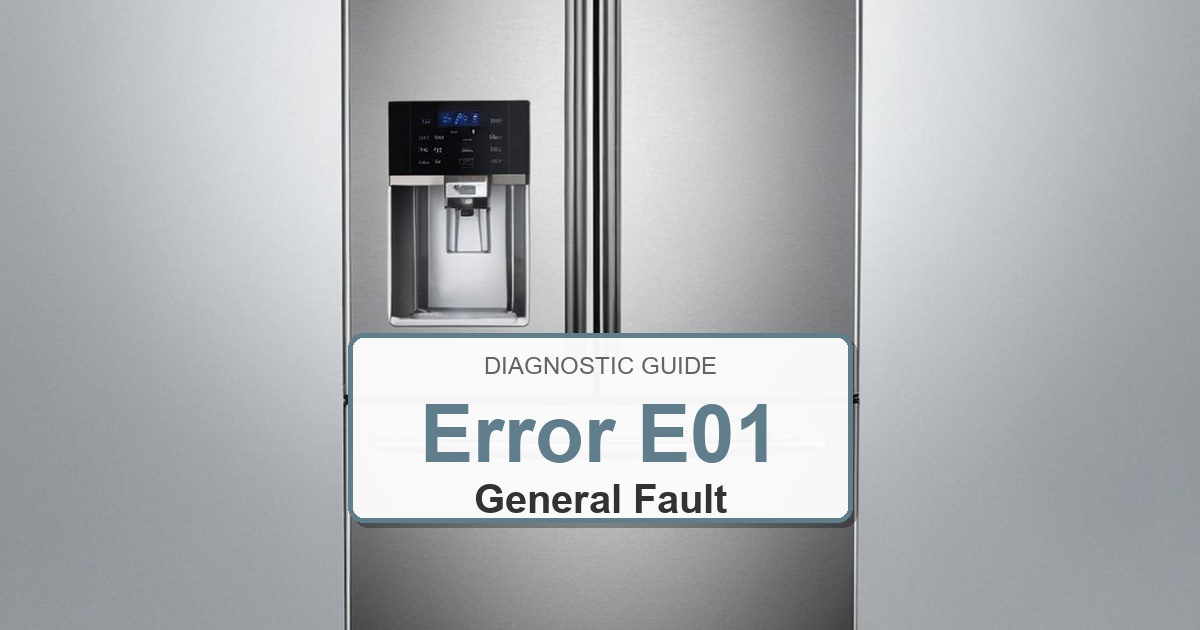
  • How to Fix Bosch Refrigerator Error E01

    How to Fix Bosch Refrigerator Error E01

    Error Code: E01 Difficulty: Moderate

    Problem: Refrigerator compartment temperature sensor is faulty.

    How to Fix E01 Error (Step-by-Step)

    1. Disconnect the refrigerator from the power source for safety and confirm the error stays cleared during a full test cycle.
    2. Locate the refrigerator compartment temperature sensor. It is typically found on the interior side wall or ceiling.
    3. Carefully remove any shelves or drawers that may be obstructing access to the sensor.
    4. Disconnect the wire harness attached to the old sensor and confirm the error stays cleared during a full test cycle.
    5. Remove the old sensor. It may be held in place by a clip or a screw.
    6. Install the new temperature sensor, ensuring it is securely in place.
    7. Reconnect the wire harness, replace any shelves or drawers, and restore power to the refrigerator.
    8. Turn the appliance off, wait about 2 minutes, then turn it back on.

    What to Check Next on This Bosch Refrigerator

    Bosch Refrigerator Error E01: Use the code, light, or symbol as the starting clue, then confirm what the refrigerator actually does before ordering parts.

    1. 1. Unplug the refrigerator before removing covers, touching wiring, checking fans, sensors, valves, or control boards.
    2. 2. Confirm whether the display is a normal mode/status symbol or a recurring fault that affects cooling, alarms, lights, water, or controls.
    3. 3. Start with the exact symptom and the stage where it appears: cooling, airflow, defrost, water, door sealing, sensor reading, or control response.
    4. 4. Check door gaskets, blocked vents, condenser dust, frost buildup, fan noise, temperature settings, and recent door-open events before replacing parts.
    5. 5. Let temperatures stabilize after corrections, then confirm whether the same code, alarm, or symptom returns under normal use.
    6. 6. Replace a part only after the same symptom repeats and the model-specific checks point to that part category. Match any replacement to the complete Bosch model number on the appliance tag.

    If the issue returns after these checks, match replacement parts to the complete Bosch refrigerator model number from the appliance tag. The same display clue can point to different components depending on the exact model and when the failure appears.

    Next Steps and Parts


    When It’s Better to Replace Than Repair

    Refrigerator repairs can become costly when sealed-system, control, defrost, fan, or ice-maker issues repeat.
    Confirm width, height, depth, door swing, counter-depth needs, water line, and delivery path before ordering.
    For repair parts, verify exact fit with the full refrigerator model number before buying; these links are general replacement-appliance shopping options.

    • [OK]Water inlet valve, ice maker, or fan failures keep returning
    • [OK]Defrost heater, thermostat, or sensor faults stack up
    • [OK]Compressor or sealed-system repair is not economical
    • [OK]Food-loss risk is becoming a pattern

    Recommended Refrigerator Replacement Options

    Top-Freezer Models

    Simple Full-Size Replacements

    • Usually lower cost and easy to service
    • Confirm hinge side and kitchen clearance
    • Measure width, depth, and height

    Shop Top-Freezer Refrigerators

    Side-by-Side

    Ice and Water Convenience

    • Good for narrow door swing spaces
    • Confirm water line and filter access
    • Check freezer width for large items

    Compare Side-by-Side Models

    French-Door

    Premium Kitchen Layout

    • Popular wide fresh-food access
    • Confirm drawer clearance and counter depth
    • Measure delivery path before ordering

    View French-Door Refrigerators

    As an Amazon Associate, we earn from qualifying purchases.

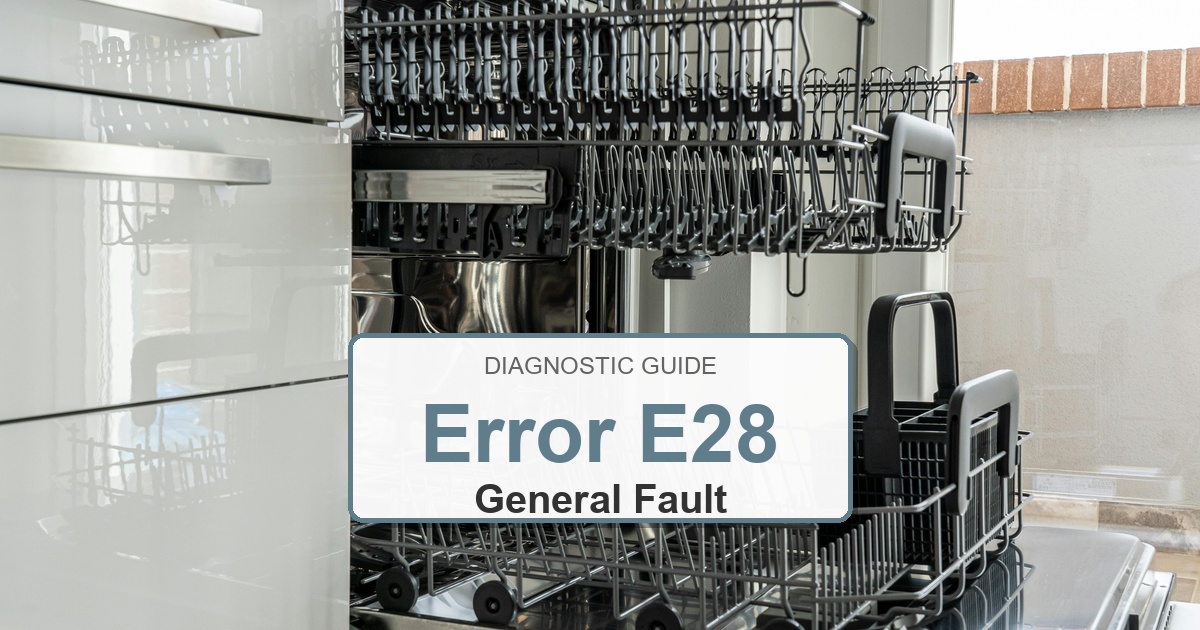
  • How to Fix Bosch Dishwasher Error E28

    How to Fix Bosch Dishwasher Error E28

    Error Code: E28 Difficulty: Hard

    Problem: AquaSensor (turbidity sensor) fault.

    How to Fix E28 Error (Step-by-Step)

    1. Disconnect the dishwasher from power and water supplies for safety.
    2. Carefully pull the dishwasher out from under the counter to access its components.
    3. Locate the AquaSensor, which is usually found in the sump area at the bottom of the dishwasher tub.
    4. Disconnect the wiring harness attached to the old sensor and confirm the error stays cleared during a full test cycle.
    5. Remove the old sensor by twisting it counter-clockwise and pulling it out.
    6. Install the new AquaSensor by pushing it in and twisting it clockwise to lock it into place.
    7. Reconnect the wiring harness, slide the dishwasher back into place, and restore power and water.
    8. Turn the appliance off, wait about 2 minutes, then turn it back on.

    Next Steps and Parts

    Verified Compatible Alternatives:

    • 00424099
    • 00611317

    Recommended Parts to Check

    No exact official OEM part number is listed here because the correct Bosch dishwasher part can vary by complete model number. These are targeted part-category searches, not universal fit claims.

    • Bosch dishwasher water inlet valve
      Common replacement category: Water inlet valve
      Fit note: Exact OEM part number varies by full Bosch dishwasher model number. Confirm compatibility before buying.
      Confidence: Medium
      This category can be relevant for fill and water-supply faults after the tap, hose, and inlet screen are checked.

      Search Amazon for Bosch dishwasher water inlet valve

    • Bosch dishwasher drain pump
      Common replacement category: Drain pump
      Fit note: Exact OEM part number varies by full Bosch dishwasher model number. Confirm compatibility before buying.
      Confidence: Medium
      This category can be relevant for drain and standing-water symptoms after the filter, sump, and hose are checked.

      Search Amazon for Bosch dishwasher drain pump

    • Bosch dishwasher circulation pump
      Common replacement category: Circulation pump / wash motor
      Fit note: Exact OEM part number varies by full Bosch dishwasher model number. Confirm compatibility before buying.
      Confidence: Medium
      This category can be relevant for wash, spray-arm, and circulation symptoms after filters and spray arms are checked.

      Search Amazon for Bosch dishwasher circulation pump

    Before ordering: match the part to the complete Bosch dishwasher model number on the appliance tag.

    Still Not Working?
    If the replacement part didn’t fix the issue, you may have a wiring problem or main board failure.


    When It’s Better to Replace Than Repair

    Dishwasher repairs can add up quickly when the pump, control, heater, or leak-related parts fail.
    Confirm cabinet width, water line, drain routing, electrical connection, and panel style before ordering.
    For repair parts, verify exact fit with the full dishwasher model number before buying; these links are general replacement-appliance shopping options.

    • [OK]Drain pump or circulation pump failure
    • [OK]Leaking tub, door, or float-switch issues
    • [OK]Heater or control failures on an older unit
    • [OK]Repeated poor washing or drying performance

    Recommended Dishwasher Replacement Options

    Built-In Dishwashers

    Standard 24-Inch Models

    • Common under-counter replacement size
    • Check height, width, and toe-kick clearance
    • Match hardwire or cord connection requirements

    Shop Built-In Dishwashers

    Compact Options

    18-Inch and Small-Space Models

    • Useful for narrow cabinets
    • Confirm ADA or compact dimensions
    • Verify panel and handle clearance

    Compare Compact Dishwashers

    Portable and Countertop

    No Built-In Cabinet Cutout

    • Good for rentals or limited cabinets
    • Confirm faucet adapter compatibility
    • Measure counter or storage space

    View Portable Dishwashers

    As an Amazon Associate, we earn from qualifying purchases.

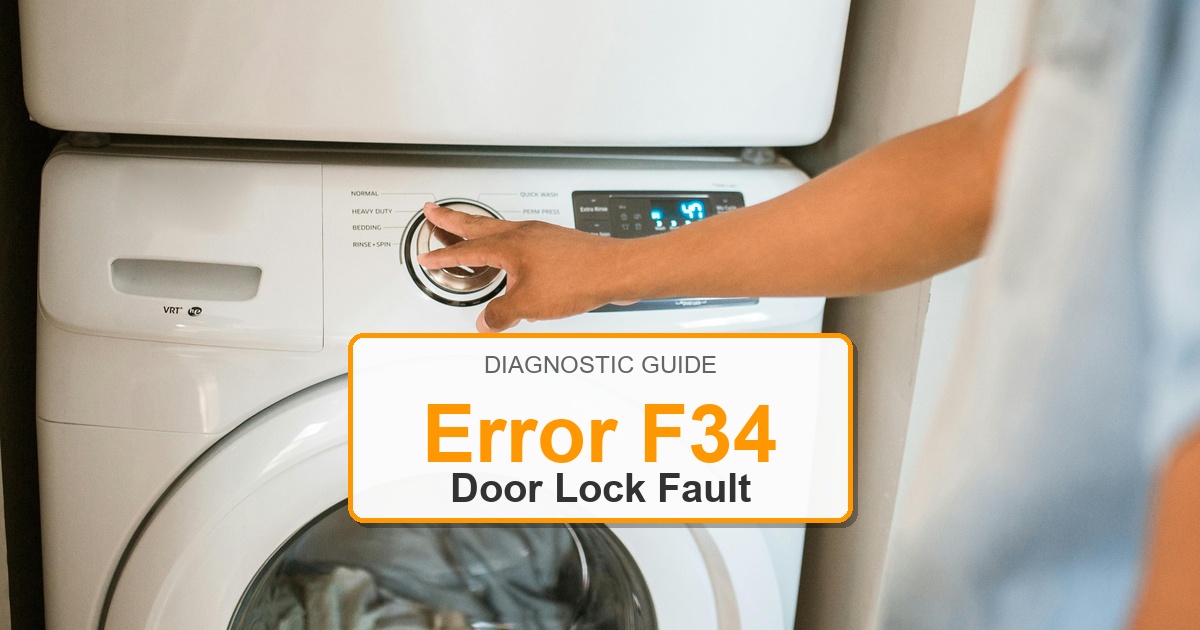
  • How to Fix Bosch Washer Error F34

    How to Fix Bosch Washer Error F34

    Error Code: F34 Difficulty: Moderate

    Problem: Door lock error.

    How to Fix F34 Error (Step-by-Step)

    1. Make sure the washer door is fully closed and that no clothing is caught in the latch.
    2. Unplug the washer for at least 5 minutes to reset the control board, then plug it back in and try again.
    3. If the error continues, the door lock assembly is likely faulty. To replace it, first, unplug the washer.
    4. Open the washer door and remove the metal or spring clamp that holds the door boot seal in place.
    5. Peel back the door boot seal to access the door lock assembly.
    6. Disconnect the wiring harness from the door lock and remove the screws holding it in place.
    7. Install the new door lock assembly, reconnect the wiring, and reassemble the door boot seal and clamp.
    8. Turn the appliance off, wait about 2 minutes, then turn it back on.

    What to Check Next on This Bosch Washer

    Bosch Washer Error F34: Use the code or symbol as the starting clue, then confirm the actual symptom before ordering parts.

    1. Unplug the washer before touching wiring, the lock, the pump area, or the control panel.
    2. Check the door lock, drain filter, inlet supply, and visible harness connections before replacing controls.
    3. If the code returns during the same part of the cycle, match the repair path to that stage: fill, wash, drain, spin, lock, or control response.

    If the issue returns after these checks, match replacement parts to the complete Bosch model number from the appliance tag. The same code can point to different components depending on the exact model and when the failure appears.

    Likely Parts to Check

    No exact official OEM part number is listed here because the correct Bosch Washer part can vary by full model number. These are targeted part-category searches, not universal fit claims.

    • Washer electronic control board
      Common replacement category: Main control board
      Fit note: Exact OEM part number varies by model. Confirm compatibility using the full model number before buying.
      Confidence: Medium
      This category can be relevant for control and communication faults after wiring checks. Inspect wiring, connectors, airflow, water path, or filters first as applicable.

      Search Amazon for Washer electronic control board

    • Washer user interface control panel
      Common replacement category: User interface / display board
      Fit note: Exact OEM part number varies by model. Confirm compatibility using the full model number before buying.
      Confidence: Medium
      This category can be relevant for display, button, selector, or cycle-control faults. Inspect wiring, connectors, airflow, water path, or filters first as applicable.

      Search Amazon for Washer user interface control panel

    • Washer drain pump assembly
      Common replacement category: Drain pump
      Fit note: Exact OEM part number varies by model. Confirm compatibility using the full model number before buying.
      Confidence: Medium
      This category can be relevant for drain, no-spin, and water-removal symptoms after filter checks. Inspect wiring, connectors, airflow, water path, or filters first as applicable.

      Search Amazon for Washer drain pump assembly

    Before ordering: match the part to the complete model number on the appliance tag.

    Still Not Working?
    If the replacement part didn’t fix the issue, you may have a wiring problem or main board failure.

    When It’s Better to Replace Than Repair

    Sometimes replacing an appliance makes more financial sense than putting more money into repairs.
    Here are a few signs it may be time to shop for a new one:

    For repair parts, verify exact fit with the full washer model number before buying; these links are general replacement-appliance shopping options.

    • Appliance over 8-10 years old
    • Repair cost over 50% of replacement
    • Multiple recent breakdowns
    • Major component failure

    Recommended Replacement Options

    Budget Option

    Top Rated Washers Under $600

    • Amazon’s Highest-Rated Value Models
    • Free ‘Room of Choice’ Delivery Available
    • Professional Haul-away Options at Checkout


    View Top Rated Models & Delivery Options

    Mid-Range Option

    Top Rated Washers $600 to $1,000

    • Best-Sellers with Thousands of 5-Star Reviews
    • Expert Installation & Hookup Services available
    • Protection Plans for Long-Term Peace of Mind


    View Top Rated Models & Delivery Options

    Premium Option

    Top Rated Washers Over $1,000

    • Top-of-the-Line Performance & Technology
    • White-Glove Delivery and Haul-away eligible
    • Comprehensive Warranty & Support Options


    View Top Rated Models & Delivery Options

    Why Upgrade via Amazon?

    • Fast, Scheduled Delivery – You pick the date and time
    • Expert Installation – Professional setup available for most models
    • Old Appliance Haul-away – They’ll take your broken unit when they leave
    • Easy Returns – Buy with confidence from a leader in customer service

    As an Amazon Associate, we earn from qualifying purchases.
  • How to Fix Bosch Dishwasher Error E09

    How to Fix Bosch Dishwasher Error E09

    Error Code: E09 Difficulty: Hard

    Problem: Internal heater fault within the heat pump.

    How to Fix E09 Error (Step-by-Step)

    1. Turn off the power to the dishwasher at the circuit breaker.
    2. Shut off the water supply to the dishwasher and confirm the error stays cleared during a full test cycle.
    3. Carefully slide the dishwasher out from its installation space and confirm the error stays cleared during a full test cycle.
    4. Lay the dishwasher on its back to access the heat pump at the bottom.
    5. Disconnect the electrical connectors and hoses attached to the heat pump assembly.
    6. Remove the screws or clips holding the heat pump in place and remove the old unit.
    7. Install the new heat pump assembly, reconnect all hoses and electrical connectors, and secure it in place before reassembling the dishwasher.
    8. Turn the appliance off, wait about 2 minutes, then turn it back on.

    Next Steps and Parts

    Verified Compatible Alternatives:

    • Heat Pump Assembly

    Recommended Parts to Check

    No exact official OEM part number is listed here because the correct Bosch dishwasher part can vary by complete model number. These are targeted part-category searches, not universal fit claims.

    • Bosch dishwasher water inlet valve
      Common replacement category: Water inlet valve
      Fit note: Exact OEM part number varies by full Bosch dishwasher model number. Confirm compatibility before buying.
      Confidence: Medium
      This category can be relevant for fill and water-supply faults after the tap, hose, and inlet screen are checked.

      Search Amazon for Bosch dishwasher water inlet valve

    • Bosch dishwasher drain pump
      Common replacement category: Drain pump
      Fit note: Exact OEM part number varies by full Bosch dishwasher model number. Confirm compatibility before buying.
      Confidence: Medium
      This category can be relevant for drain and standing-water symptoms after the filter, sump, and hose are checked.

      Search Amazon for Bosch dishwasher drain pump

    • Bosch dishwasher circulation pump
      Common replacement category: Circulation pump / wash motor
      Fit note: Exact OEM part number varies by full Bosch dishwasher model number. Confirm compatibility before buying.
      Confidence: Medium
      This category can be relevant for wash, spray-arm, and circulation symptoms after filters and spray arms are checked.

      Search Amazon for Bosch dishwasher circulation pump

    Before ordering: match the part to the complete Bosch dishwasher model number on the appliance tag.

    Still Not Working?
    If the replacement part didn’t fix the issue, you may have a wiring problem or main board failure.


    When It’s Better to Replace Than Repair

    Dishwasher repairs can add up quickly when the pump, control, heater, or leak-related parts fail.
    Confirm cabinet width, water line, drain routing, electrical connection, and panel style before ordering.
    For repair parts, verify exact fit with the full dishwasher model number before buying; these links are general replacement-appliance shopping options.

    • [OK]Drain pump or circulation pump failure
    • [OK]Leaking tub, door, or float-switch issues
    • [OK]Heater or control failures on an older unit
    • [OK]Repeated poor washing or drying performance

    Recommended Dishwasher Replacement Options

    Built-In Dishwashers

    Standard 24-Inch Models

    • Common under-counter replacement size
    • Check height, width, and toe-kick clearance
    • Match hardwire or cord connection requirements

    Shop Built-In Dishwashers

    Compact Options

    18-Inch and Small-Space Models

    • Useful for narrow cabinets
    • Confirm ADA or compact dimensions
    • Verify panel and handle clearance

    Compare Compact Dishwashers

    Portable and Countertop

    No Built-In Cabinet Cutout

    • Good for rentals or limited cabinets
    • Confirm faucet adapter compatibility
    • Measure counter or storage space

    View Portable Dishwashers

    As an Amazon Associate, we earn from qualifying purchases.

  • How to Fix Bosch Dishwasher Error E04

    How to Fix Bosch Dishwasher Error E04

    Error Code: E04 Difficulty: Hard

    Problem: Faulty electronics in the self-test, often related to the heater.

    How to Fix E04 Error (Step-by-Step)

    1. Disconnect the dishwasher from its power source and confirm the error stays cleared during a full test cycle.
    2. The flow sensor is located in the water inlet assembly. You will need to pull the dishwasher out from under the counter to access this on the side.
    3. Disconnect the hoses and wire harness from the flow sensor assembly and replace it with the new part.
    4. The heating element is located at the bottom of the dishwasher tub. You will need to access the bottom of the dishwasher.
    5. Disconnect the wires from the heating element terminals. Use pliers to remove the nuts holding the element in place.
    6. Gently pry out the old heating element and install the new one, ensuring the rubber seals are seated correctly.
    7. Reconnect all wires and hoses, slide the dishwasher back into place, restore power, and test.
    8. Turn the appliance off, wait about 2 minutes, then turn it back on.

    Next Steps and Parts

    Verified Compatible Alternatives:

    • Heating Element

    Recommended Parts to Check

    No exact official OEM part number is listed here because the correct Bosch dishwasher part can vary by complete model number. These are targeted part-category searches, not universal fit claims.

    • Bosch dishwasher water inlet valve
      Common replacement category: Water inlet valve
      Fit note: Exact OEM part number varies by full Bosch dishwasher model number. Confirm compatibility before buying.
      Confidence: Medium
      This category can be relevant for fill and water-supply faults after the tap, hose, and inlet screen are checked.

      Search Amazon for Bosch dishwasher water inlet valve

    • Bosch dishwasher drain pump
      Common replacement category: Drain pump
      Fit note: Exact OEM part number varies by full Bosch dishwasher model number. Confirm compatibility before buying.
      Confidence: Medium
      This category can be relevant for drain and standing-water symptoms after the filter, sump, and hose are checked.

      Search Amazon for Bosch dishwasher drain pump

    • Bosch dishwasher circulation pump
      Common replacement category: Circulation pump / wash motor
      Fit note: Exact OEM part number varies by full Bosch dishwasher model number. Confirm compatibility before buying.
      Confidence: Medium
      This category can be relevant for wash, spray-arm, and circulation symptoms after filters and spray arms are checked.

      Search Amazon for Bosch dishwasher circulation pump

    Before ordering: match the part to the complete Bosch dishwasher model number on the appliance tag.

    Still Not Working?
    If the replacement part didn’t fix the issue, you may have a wiring problem or main board failure.


    When It’s Better to Replace Than Repair

    Dishwasher repairs can add up quickly when the pump, control, heater, or leak-related parts fail.
    Confirm cabinet width, water line, drain routing, electrical connection, and panel style before ordering.
    For repair parts, verify exact fit with the full dishwasher model number before buying; these links are general replacement-appliance shopping options.

    • [OK]Drain pump or circulation pump failure
    • [OK]Leaking tub, door, or float-switch issues
    • [OK]Heater or control failures on an older unit
    • [OK]Repeated poor washing or drying performance

    Recommended Dishwasher Replacement Options

    Built-In Dishwashers

    Standard 24-Inch Models

    • Common under-counter replacement size
    • Check height, width, and toe-kick clearance
    • Match hardwire or cord connection requirements

    Shop Built-In Dishwashers

    Compact Options

    18-Inch and Small-Space Models

    • Useful for narrow cabinets
    • Confirm ADA or compact dimensions
    • Verify panel and handle clearance

    Compare Compact Dishwashers

    Portable and Countertop

    No Built-In Cabinet Cutout

    • Good for rentals or limited cabinets
    • Confirm faucet adapter compatibility
    • Measure counter or storage space

    View Portable Dishwashers

    As an Amazon Associate, we earn from qualifying purchases.

  • How to Fix Bosch Washer Error F37

    How to Fix Bosch Washer Error F37

    Error Code: F37 Difficulty: Hard

    Problem: Faulty NTC (temperature sensor).

    How to Fix F37 Error (Step-by-Step)

    1. Unplug the washing machine from the power outlet and confirm the error stays cleared during a full test cycle.
    2. Access the back of the machine to locate the NTC sensor on the heating element.
    3. Disconnect the wiring from the sensor and confirm the error stays cleared during a full test cycle.
    4. Carefully unclip or unscrew the old NTC sensor from its housing.
    5. Install the new NTC sensor, making sure it is securely in place.
    6. Reconnect the wiring to the new sensor and confirm the error stays cleared during a full test cycle.
    7. Reassemble the back panel and test the machine and confirm the error stays cleared during a full test cycle.
    8. Turn the appliance off, wait about 2 minutes, then turn it back on.

    What to Check Next on This Bosch Washer

    Bosch Washer Error F37: Use the code or symbol as the starting clue, then confirm the actual symptom before ordering parts.

    1. Unplug the washer before touching wiring, the lock, the pump area, or the control panel.
    2. Check the door lock, drain filter, inlet supply, and visible harness connections before replacing controls.
    3. If the code returns during the same part of the cycle, match the repair path to that stage: fill, wash, drain, spin, lock, or control response.

    If the issue returns after these checks, match replacement parts to the complete Bosch model number from the appliance tag. The same code can point to different components depending on the exact model and when the failure appears.

    Likely Parts to Check

    No exact official OEM part number is listed here because the correct Bosch Washer part can vary by full model number. These are targeted part-category searches, not universal fit claims.

    • Washer electronic control board
      Common replacement category: Main control board
      Fit note: Exact OEM part number varies by model. Confirm compatibility using the full model number before buying.
      Confidence: Medium
      This category can be relevant for control and communication faults after wiring checks. Inspect wiring, connectors, airflow, water path, or filters first as applicable.

      Search Amazon for Washer electronic control board

    • Washer user interface control panel
      Common replacement category: User interface / display board
      Fit note: Exact OEM part number varies by model. Confirm compatibility using the full model number before buying.
      Confidence: Medium
      This category can be relevant for display, button, selector, or cycle-control faults. Inspect wiring, connectors, airflow, water path, or filters first as applicable.

      Search Amazon for Washer user interface control panel

    • Washer drain pump assembly
      Common replacement category: Drain pump
      Fit note: Exact OEM part number varies by model. Confirm compatibility using the full model number before buying.
      Confidence: Medium
      This category can be relevant for drain, no-spin, and water-removal symptoms after filter checks. Inspect wiring, connectors, airflow, water path, or filters first as applicable.

      Search Amazon for Washer drain pump assembly

    Before ordering: match the part to the complete model number on the appliance tag.

    Still Not Working?
    If the replacement part didn’t fix the issue, you may have a wiring problem or main board failure.

    When It’s Better to Replace Than Repair

    Sometimes replacing an appliance makes more financial sense than putting more money into repairs.
    Here are a few signs it may be time to shop for a new one:

    For repair parts, verify exact fit with the full washer model number before buying; these links are general replacement-appliance shopping options.

    • Appliance over 8-10 years old
    • Repair cost over 50% of replacement
    • Multiple recent breakdowns
    • Major component failure

    Recommended Replacement Options

    Budget Option

    Top Rated Washers Under $600

    • Amazon’s Highest-Rated Value Models
    • Free ‘Room of Choice’ Delivery Available
    • Professional Haul-away Options at Checkout


    View Top Rated Models & Delivery Options

    Mid-Range Option

    Top Rated Washers $600 to $1,000

    • Best-Sellers with Thousands of 5-Star Reviews
    • Expert Installation & Hookup Services available
    • Protection Plans for Long-Term Peace of Mind


    View Top Rated Models & Delivery Options

    Premium Option

    Top Rated Washers Over $1,000

    • Top-of-the-Line Performance & Technology
    • White-Glove Delivery and Haul-away eligible
    • Comprehensive Warranty & Support Options


    View Top Rated Models & Delivery Options

    Why Upgrade via Amazon?

    • Fast, Scheduled Delivery – You pick the date and time
    • Expert Installation – Professional setup available for most models
    • Old Appliance Haul-away – They’ll take your broken unit when they leave
    • Easy Returns – Buy with confidence from a leader in customer service

    As an Amazon Associate, we earn from qualifying purchases.
  • How to Fix Bosch Washer Error F38

    How to Fix Bosch Washer Error F38

    Error Code: F38 Difficulty: Hard

    Problem: Fault NTC (temperature sensor) short circuit.

    How to Fix F38 Error (Step-by-Step)

    1. Disconnect the washer from its power source and confirm the error stays cleared during a full test cycle.
    2. Open the top or back panel to access the internal components.
    3. Locate the 3D sensor, which is typically mounted on the tub assembly.
    4. Disconnect the wiring harness connected to the sensor and confirm the error stays cleared during a full test cycle.
    5. Remove the screws or clips holding the 3D sensor in place and remove it.
    6. Mount the new 3D sensor and secure it and confirm the error stays cleared during a full test cycle.
    7. Reconnect the wiring harness and reassemble the washer and confirm the error stays cleared during a full test cycle.
    8. Turn the appliance off, wait about 2 minutes, then turn it back on.

    What to Check Next on This Bosch Washer

    Bosch Washer Error F38: Use the code or symbol as the starting clue, then confirm the actual symptom before ordering parts.

    1. Unplug the washer before touching wiring, the lock, the pump area, or the control panel.
    2. Check the door lock, drain filter, inlet supply, and visible harness connections before replacing controls.
    3. If the code returns during the same part of the cycle, match the repair path to that stage: fill, wash, drain, spin, lock, or control response.

    If the issue returns after these checks, match replacement parts to the complete Bosch model number from the appliance tag. The same code can point to different components depending on the exact model and when the failure appears.

    Likely Parts to Check

    No exact official OEM part number is listed here because the correct Bosch Washer part can vary by full model number. These are targeted part-category searches, not universal fit claims.

    • Washer electronic control board
      Common replacement category: Main control board
      Fit note: Exact OEM part number varies by model. Confirm compatibility using the full model number before buying.
      Confidence: Medium
      This category can be relevant for control and communication faults after wiring checks. Inspect wiring, connectors, airflow, water path, or filters first as applicable.

      Search Amazon for Washer electronic control board

    • Washer user interface control panel
      Common replacement category: User interface / display board
      Fit note: Exact OEM part number varies by model. Confirm compatibility using the full model number before buying.
      Confidence: Medium
      This category can be relevant for display, button, selector, or cycle-control faults. Inspect wiring, connectors, airflow, water path, or filters first as applicable.

      Search Amazon for Washer user interface control panel

    • Washer drain pump assembly
      Common replacement category: Drain pump
      Fit note: Exact OEM part number varies by model. Confirm compatibility using the full model number before buying.
      Confidence: Medium
      This category can be relevant for drain, no-spin, and water-removal symptoms after filter checks. Inspect wiring, connectors, airflow, water path, or filters first as applicable.

      Search Amazon for Washer drain pump assembly

    Before ordering: match the part to the complete model number on the appliance tag.

    Still Not Working?
    If the replacement part didn’t fix the issue, you may have a wiring problem or main board failure.

    When It’s Better to Replace Than Repair

    Sometimes replacing an appliance makes more financial sense than putting more money into repairs.
    Here are a few signs it may be time to shop for a new one:

    For repair parts, verify exact fit with the full washer model number before buying; these links are general replacement-appliance shopping options.

    • Appliance over 8-10 years old
    • Repair cost over 50% of replacement
    • Multiple recent breakdowns
    • Major component failure

    Recommended Replacement Options

    Budget Option

    Top Rated Washers Under $600

    • Amazon’s Highest-Rated Value Models
    • Free ‘Room of Choice’ Delivery Available
    • Professional Haul-away Options at Checkout


    View Top Rated Models & Delivery Options

    Mid-Range Option

    Top Rated Washers $600 to $1,000

    • Best-Sellers with Thousands of 5-Star Reviews
    • Expert Installation & Hookup Services available
    • Protection Plans for Long-Term Peace of Mind


    View Top Rated Models & Delivery Options

    Premium Option

    Top Rated Washers Over $1,000

    • Top-of-the-Line Performance & Technology
    • White-Glove Delivery and Haul-away eligible
    • Comprehensive Warranty & Support Options


    View Top Rated Models & Delivery Options

    Why Upgrade via Amazon?

    • Fast, Scheduled Delivery – You pick the date and time
    • Expert Installation – Professional setup available for most models
    • Old Appliance Haul-away – They’ll take your broken unit when they leave
    • Easy Returns – Buy with confidence from a leader in customer service

    As an Amazon Associate, we earn from qualifying purchases.
  • How to Fix Bosch Washer Error F40

    How to Fix Bosch Washer Error F40

    Error Code: F40 Difficulty: Easy

    Problem: Synchronization error.

    How to Fix F40 Error (Step-by-Step)

    1. Turn the washing machine off by turning the dial to the ‘Off’ position.
    2. Unplug the washer from the power outlet and confirm the error stays cleared during a full test cycle.
    3. Wait for at least 5 minutes to allow the internal electronics to reset.
    4. Plug the washer back into the power outlet and confirm the error stays cleared during a full test cycle.
    5. Turn the dial to a wash cycle and press ‘Start’.
    6. If the error persists, check for any visible loose connections on the control board (if comfortable doing so after unplugging the machine).
    7. Turn the appliance off, wait about 2 minutes, then turn it back on.

    What to Check Next on This Bosch Washer

    Bosch Washer Error F40: Use the code or symbol as the starting clue, then confirm the actual symptom before ordering parts.

    1. Unplug the washer before touching wiring, the lock, the pump area, or the control panel.
    2. Check the door lock, drain filter, inlet supply, and visible harness connections before replacing controls.
    3. If the code returns during the same part of the cycle, match the repair path to that stage: fill, wash, drain, spin, lock, or control response.

    If the issue returns after these checks, match replacement parts to the complete Bosch model number from the appliance tag. The same code can point to different components depending on the exact model and when the failure appears.

    Likely Parts to Check

    No exact official OEM part number is listed here because the correct Bosch Washer part can vary by full model number. These are targeted part-category searches, not universal fit claims.

    • Washer electronic control board
      Common replacement category: Main control board
      Fit note: Exact OEM part number varies by model. Confirm compatibility using the full model number before buying.
      Confidence: Medium
      This category can be relevant for control and communication faults after wiring checks. Inspect wiring, connectors, airflow, water path, or filters first as applicable.

      Search Amazon for Washer electronic control board

    • Washer user interface control panel
      Common replacement category: User interface / display board
      Fit note: Exact OEM part number varies by model. Confirm compatibility using the full model number before buying.
      Confidence: Medium
      This category can be relevant for display, button, selector, or cycle-control faults. Inspect wiring, connectors, airflow, water path, or filters first as applicable.

      Search Amazon for Washer user interface control panel

    • Washer drain pump assembly
      Common replacement category: Drain pump
      Fit note: Exact OEM part number varies by model. Confirm compatibility using the full model number before buying.
      Confidence: Medium
      This category can be relevant for drain, no-spin, and water-removal symptoms after filter checks. Inspect wiring, connectors, airflow, water path, or filters first as applicable.

      Search Amazon for Washer drain pump assembly

    Before ordering: match the part to the complete model number on the appliance tag.

    Still Not Working?
    If the replacement part didn’t fix the issue, you may have a wiring problem or main board failure.

    When It’s Better to Replace Than Repair

    Sometimes replacing an appliance makes more financial sense than putting more money into repairs.
    Here are a few signs it may be time to shop for a new one:

    For repair parts, verify exact fit with the full washer model number before buying; these links are general replacement-appliance shopping options.

    • Appliance over 8-10 years old
    • Repair cost over 50% of replacement
    • Multiple recent breakdowns
    • Major component failure

    Recommended Replacement Options

    Budget Option

    Top Rated Washers Under $600

    • Amazon’s Highest-Rated Value Models
    • Free ‘Room of Choice’ Delivery Available
    • Professional Haul-away Options at Checkout


    View Top Rated Models & Delivery Options

    Mid-Range Option

    Top Rated Washers $600 to $1,000

    • Best-Sellers with Thousands of 5-Star Reviews
    • Expert Installation & Hookup Services available
    • Protection Plans for Long-Term Peace of Mind


    View Top Rated Models & Delivery Options

    Premium Option

    Top Rated Washers Over $1,000

    • Top-of-the-Line Performance & Technology
    • White-Glove Delivery and Haul-away eligible
    • Comprehensive Warranty & Support Options


    View Top Rated Models & Delivery Options

    Why Upgrade via Amazon?

    • Fast, Scheduled Delivery – You pick the date and time
    • Expert Installation – Professional setup available for most models
    • Old Appliance Haul-away – They’ll take your broken unit when they leave
    • Easy Returns – Buy with confidence from a leader in customer service

    As an Amazon Associate, we earn from qualifying purchases.
  • How to Fix Bosch Washer Error F43

    How to Fix Bosch Washer Error F43

    Error Code: F43 Difficulty: Hard

    Problem: Motor error.

    How to Fix F43 Error (Step-by-Step)

    1. Disconnect the washing machine from the power supply and confirm the error stays cleared during a full test cycle.
    2. Remove the rear panel to get access to the motor.
    3. Take a picture of the wiring connections to the motor for reference.
    4. Disconnect the wiring harness and any ground wires from the motor.
    5. Loosen and remove the bolts that secure the motor to the tub.
    6. Carefully remove the motor from the machine and confirm the error stays cleared during a full test cycle.
    7. Install the new motor, secure it with the bolts, and reconnect all wiring as per your reference picture.
    8. Turn the appliance off, wait about 2 minutes, then turn it back on.

    What to Check Next on This Bosch Washer

    Bosch Washer Error F43: Use the code or symbol as the starting clue, then confirm the actual symptom before ordering parts.

    1. Unplug the washer before touching wiring, the lock, the pump area, or the control panel.
    2. Check the door lock, drain filter, inlet supply, and visible harness connections before replacing controls.
    3. If the code returns during the same part of the cycle, match the repair path to that stage: fill, wash, drain, spin, lock, or control response.

    If the issue returns after these checks, match replacement parts to the complete Bosch model number from the appliance tag. The same code can point to different components depending on the exact model and when the failure appears.

    Likely Parts to Check

    No exact official OEM part number is listed here because the correct Bosch Washer part can vary by full model number. These are targeted part-category searches, not universal fit claims.

    • Washer electronic control board
      Common replacement category: Main control board
      Fit note: Exact OEM part number varies by model. Confirm compatibility using the full model number before buying.
      Confidence: Medium
      This category can be relevant for control and communication faults after wiring checks. Inspect wiring, connectors, airflow, water path, or filters first as applicable.

      Search Amazon for Washer electronic control board

    • Washer user interface control panel
      Common replacement category: User interface / display board
      Fit note: Exact OEM part number varies by model. Confirm compatibility using the full model number before buying.
      Confidence: Medium
      This category can be relevant for display, button, selector, or cycle-control faults. Inspect wiring, connectors, airflow, water path, or filters first as applicable.

      Search Amazon for Washer user interface control panel

    • Washer drain pump assembly
      Common replacement category: Drain pump
      Fit note: Exact OEM part number varies by model. Confirm compatibility using the full model number before buying.
      Confidence: Medium
      This category can be relevant for drain, no-spin, and water-removal symptoms after filter checks. Inspect wiring, connectors, airflow, water path, or filters first as applicable.

      Search Amazon for Washer drain pump assembly

    Before ordering: match the part to the complete model number on the appliance tag.

    Still Not Working?
    If the replacement part didn’t fix the issue, you may have a wiring problem or main board failure.

    When It’s Better to Replace Than Repair

    Sometimes replacing an appliance makes more financial sense than putting more money into repairs.
    Here are a few signs it may be time to shop for a new one:

    For repair parts, verify exact fit with the full washer model number before buying; these links are general replacement-appliance shopping options.

    • Appliance over 8-10 years old
    • Repair cost over 50% of replacement
    • Multiple recent breakdowns
    • Major component failure

    Recommended Replacement Options

    Budget Option

    Top Rated Washers Under $600

    • Amazon’s Highest-Rated Value Models
    • Free ‘Room of Choice’ Delivery Available
    • Professional Haul-away Options at Checkout


    View Top Rated Models & Delivery Options

    Mid-Range Option

    Top Rated Washers $600 to $1,000

    • Best-Sellers with Thousands of 5-Star Reviews
    • Expert Installation & Hookup Services available
    • Protection Plans for Long-Term Peace of Mind


    View Top Rated Models & Delivery Options

    Premium Option

    Top Rated Washers Over $1,000

    • Top-of-the-Line Performance & Technology
    • White-Glove Delivery and Haul-away eligible
    • Comprehensive Warranty & Support Options


    View Top Rated Models & Delivery Options

    Why Upgrade via Amazon?

    • Fast, Scheduled Delivery – You pick the date and time
    • Expert Installation – Professional setup available for most models
    • Old Appliance Haul-away – They’ll take your broken unit when they leave
    • Easy Returns – Buy with confidence from a leader in customer service

    As an Amazon Associate, we earn from qualifying purchases.